What is Mantel?+
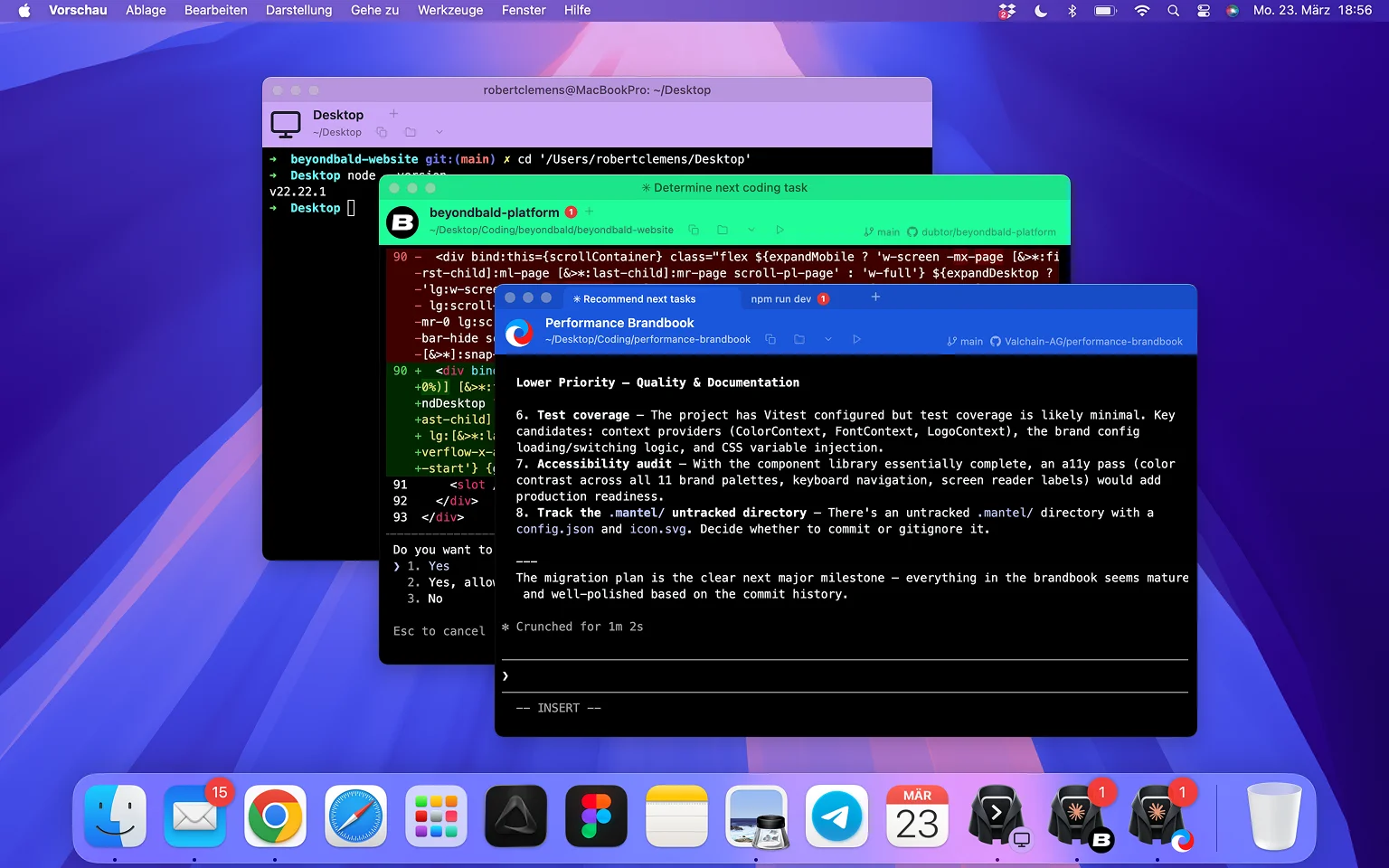
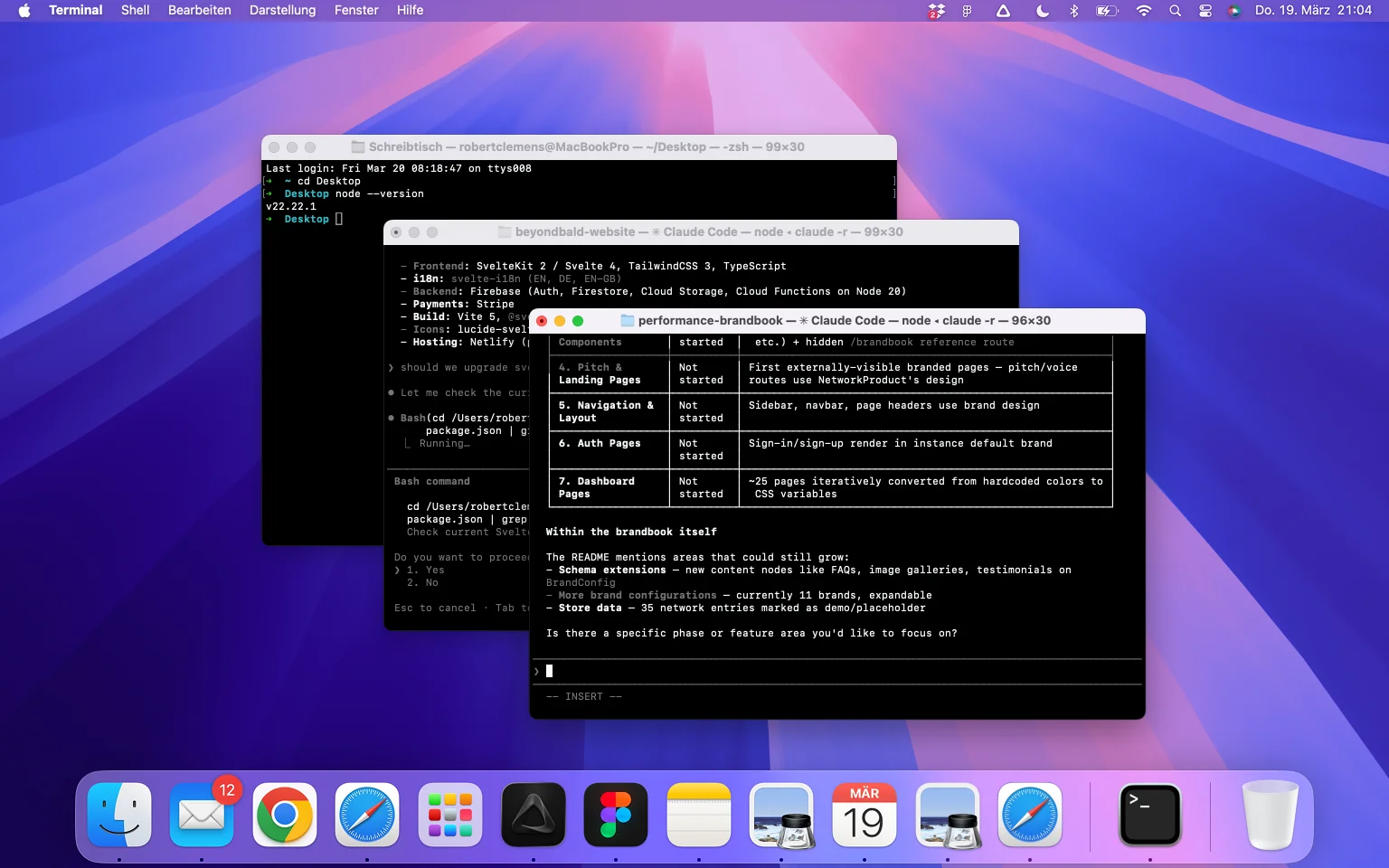
Mantel is a lightweight macOS terminal that gives every project its own color, icon, and name. When you're running multiple AI coding agents or dev servers across projects, all your terminal windows usually look identical. Mantel fixes that. Each window is instantly recognizable, so you spend less time managing windows and more time building.
Who is Mantel for?+
Anyone who works across multiple projects in the terminal but doesn't want to learn tmux or configure a power-user setup. Product managers running Claude Code, founders vibe-coding their MVP, developers who just want things to work. If you're not a terminal power user but still live in the terminal now, Mantel is for you.
Why does this exist now?+
AI coding has moved to the terminal. Fast. By early 2026, Claude Code alone had 115,000+ active developers. People run multiple agents in parallel across projects, and the constant context switching is a real problem. TechCrunch called it the shift to the 'Agentic CLI Era.' The terminal simply wasn't built for this kind of multitasking. Mantel exists because of this shift.
Is Mantel a new terminal?+
It's a lightweight terminal app that uses your default shell. zsh, bash, fish, whatever you have configured. Everything works like you're used to. Mantel just adds project-aware visual identity on top.
How is this different from iTerm2, Warp, or Ghostty?+
Those are full-featured power terminals with split panes, GPU rendering, and hundreds of settings. Mantel is a simpler alternative. It focuses on one thing: making your terminal project-aware with colors, names, and icons. No learning curve, no complexity.
Is this just a terminal theme?+
No. Themes change colors statically. Mantel automatically detects which project you're in and adapts the color, icon, and info bar dynamically per window and per tab, in real time. No manual switching needed.
What about Claude Squad, Amux, or other agent orchestrators?+
Those tools help you run and coordinate multiple AI agents. They're orchestration layers, often built on tmux. Mantel solves a different problem: making your terminal windows visually distinct. You can use Mantel alongside those tools.
How much does Mantel cost?+
Mantel is a one-time purchase of $14.99. No subscription, no recurring fees. You get all current and future features of the 1.x line.
Is there a free trial?+
Yes. Mantel comes with a 14-day free trial. Download and use it with all features, no credit card required. After the trial, a one-time purchase of $14.99 unlocks Mantel for good.
What are the system requirements?+
Mantel requires macOS Big Sur (11.0) or later. It runs natively on both Apple Silicon (M1, M2, M3, M4) and Intel Macs.
Does it work with my shell?+
Yes. Mantel uses your default shell. zsh, bash, fish, or whatever you have configured. It's a wrapper, not a replacement.
Do I need to configure every project?+
No. Mantel auto-generates a unique color for every directory based on its name. For custom colors, icons, or names, run mantel init in your project folder. Takes seconds.
Where are my settings stored?+
Mantel creates a .mantel/ folder in your project directory with a config.json and an optional icon. You can commit it to version control so your whole team gets the same project identity. Or add it to .gitignore if you prefer to keep it local.
What does 'Mantel' mean?+
Mantel is the German word for coat or cloak. The idea is to wrap your terminal in something colorful. That's exactly what Mantel does, and what the icon shows.
What's the best terminal setup for Claude Code?+
Run Claude Code in Mantel. Each project gets its own color and icon, so you can run multiple Claude Code sessions in parallel without confusing them. Add your dev server in a background tab and get notified when tasks finish.
Who built Mantel?+
Mantel is built by Robert Clemens, a software developer and founder of 83 Ventures, a company that builds and invests in digital businesses. Follow @dubtor on X.